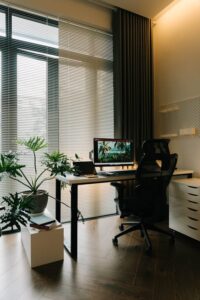
Tips for Creating a Cozy and Functional Home Workspace
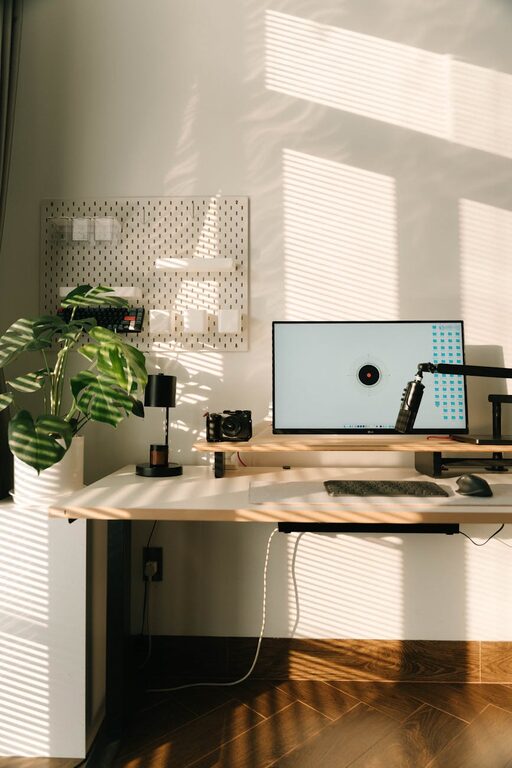
Creating a cozy and functional home workspace is essential for anyone working remotely or spending a significant amount of time on tasks at home. A well-designed workspace can boost your productivity, improve your focus, and make your workday more enjoyable. In this post, we’ll explore practical tips for setting up a home office that balances comfort and efficiency.
Choose the Right Spot
Selecting the perfect location for your workspace is the first step. Ideally, pick a quiet area with minimal distractions. Natural light is a huge plus because it helps reduce eye strain and enhances mood. If natural light isn’t available, invest in good quality lighting that mimics daylight.
Consider Your Needs
Think about what your typical day looks like. Do you need a large desk for multiple monitors or just a small corner for a laptop? Make sure your chosen space accommodates your work style and equipment without feeling cramped.
Invest in Comfortable and Ergonomic Furniture
A cozy workspace starts with comfortable furniture. Your chair should support your back and encourage good posture. An adjustable chair and desk allow you to customize your setup to your height and preferences.
Desk Setup Tips
– Keep your monitor at eye level to avoid neck strain.
– Position your keyboard and mouse so your arms form a 90-degree angle.
– Use a footrest if your feet don’t comfortably reach the floor.
Personalize Your Workspace
Adding personal touches can make your workspace more inviting. This might include a favorite plant, artwork, or photos that inspire you. However, make sure these items don’t clutter your desk or distract you.
Use Color Wisely
Colors can affect mood and productivity. Soft blues and greens promote calmness, while warm tones like orange or yellow can stimulate creativity. Choose colors that help you feel motivated but relaxed.
Keep it Organized
An organized workspace helps you stay focused and reduces stress. Use storage solutions such as shelves, drawers, and organizers to keep supplies neat and out of the way.
Declutter Regularly
Set aside a few minutes at the end of each day to tidy your desk. Remove unnecessary papers and items that don’t belong in your workspace.
Manage Noise and Distractions
If your home is busy or noisy, consider using noise-canceling headphones or white noise machines to block distractions. Communicate your work hours with family or housemates to minimize interruptions.
Incorporate Technology Smartly
Use technology to your advantage. A reliable internet connection, quality webcam, and good microphone make virtual meetings smoother. Cable management solutions keep wires tidy and prevent clutter.
Take Breaks and Move
Even the most functional workspace can’t replace the benefits of regular breaks. Stand, stretch, or take a short walk to refresh your mind and body. A comfortable workspace encourages better habits but remember to step away now and then.
Maintain Good Air Quality and Temperature
A fresh and well-ventilated space contributes to comfort and focus. Consider using an air purifier or opening a window to circulate air. Keep the temperature at a comfortable level to avoid feeling too cold or too warm.
Final Thoughts
Designing a cozy and functional home workspace doesn’t require a complete overhaul of your home. By choosing the right spot, investing in ergonomic furniture, personalizing your space, and staying organized, you can create an environment that supports your productivity and well-being. Remember that the most important aspect is to build a space that feels inviting and suits your unique needs.
With these tips in mind, your home workspace can become a pleasant place to work, helping you stay motivated and comfortable throughout your day.