Tips for Creating a Cozy and Functional Home Workspace
Creating a cozy and functional home workspace can significantly boost your productivity and make working from home more enjoyable. Whether you’re tackling remote work, studying, or managing personal projects, the right setup helps you stay focused and comfortable. Here are some practical tips to help you design a workspace that meets your needs.
Choose the Right Location
The first step is to select a suitable spot in your home for your workspace.
– Natural Light: Try to find a space near a window. Natural light reduces eye strain and improves mood.
– Quiet Area: Pick a quiet corner or room where distractions are minimal.
– Space Efficiency: Consider how much room you need for your desk, chair, and any equipment.
If space is limited, a small nook or an unused corner can be transformed into an efficient workspace.
Invest in a Comfortable Chair
A comfortable chair supports good posture and prevents back pain.
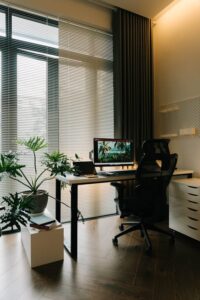
– Ergonomic Design: Look for chairs with adjustable height, lumbar support, and armrests.
– Breathable Material: Breathable fabrics or mesh help keep you cool during long work sessions.
– Movement Friendly: Chairs with wheels and swivel functions assist in easy movement.
Remember, comfort directly impacts your focus and long-term health.
Choose a Functional Desk
Your desk is the centerpiece of your workspace.
– Size Matters: Make sure the desk is large enough for your computer, notepad, and any other essentials.
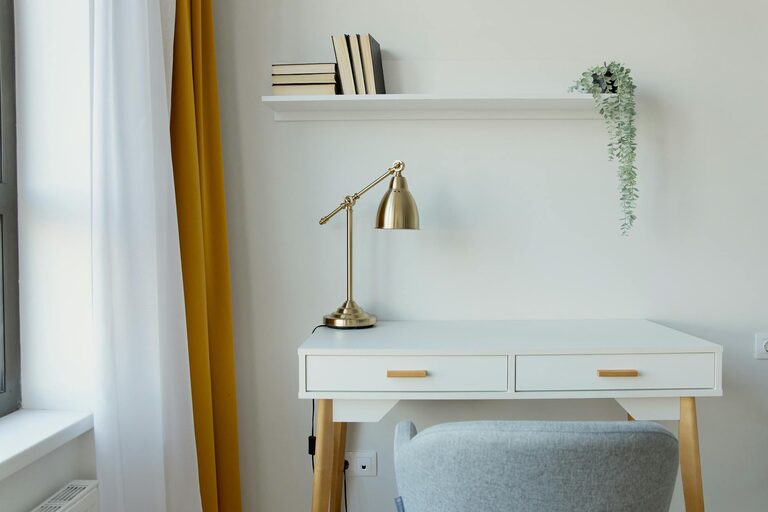
– Storage: Desks with drawers or shelves help keep your area organized.
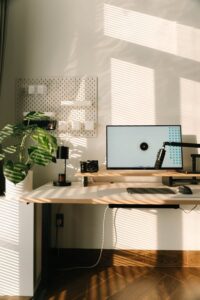
– Standing Option: Consider a height-adjustable desk to switch between sitting and standing.
A clutter-free desk encourages productivity and reduces stress.
Organize with Smart Storage Solutions
Keeping your workspace tidy is vital for efficiency.
– Use Organizers: Desk organizers, cable clips, and drawer dividers keep things in place.
– Vertical Space: Utilize wall-mounted shelves or pegboards for extra storage without crowding your desk.
– Labeling: Label boxes or files to find documents quickly.
An organized area saves time and mental energy.
Add Personal Touches
Make your workspace inviting by adding elements that make you feel comfortable and inspired.
– Plants: Small indoor plants improve air quality and add a touch of nature.
– Artwork: Hang pictures or prints that motivate you.
– Lighting: Use desk lamps or soft lighting to create a warm atmosphere.
These personal touches make you want to spend time in your workspace.
Manage Technology Efficiently
Technology is essential but can clutter your desk if not managed well.
– Cable Management: Use cable ties or sleeves to keep cords tidy.
– Essential Gadgets Only: Avoid overcrowding the desk with unnecessary devices.
– Monitor Positioning: Ensure your screen is at eye level to reduce neck strain.
Proper setup of your technology boosts comfort and productivity.
Create a Routine and Boundaries
A cozy workspace is also about how you use it.
– Set Working Hours: Define when you start and stop working to maintain balance.
– Break Space: If possible, have a separate area for breaks to refresh your mind.
– Limit Distractions: Turn off social media notifications or use apps to stay focused.
Routine helps you get the most out of your workspace.
Keep Comfort in Mind
Small comfort features can make long work hours easier.
– Temperature Control: Use a fan or heater to adjust the temperature.
– Soft Textiles: Add cushions or a throw blanket to your chair.
– Hydration and Snacks: Keep a water bottle and healthy snacks nearby.
Comfort encourages sustained focus and productivity.
—
By combining functionality with comfort, you can create a home workspace that not only supports your work but also feels like a pleasant place to be. Take your time to experiment with different setups until you find what works best for you. A thoughtfully designed workspace can make all the difference in your daily routine.